So, I did a thing: I self-published a poetry book! Cue the happy tears, celebratory confetti, and… me furiously googling “how to fix image formatting errors.” However, that latter part could be my own hubris. Spoiler alert: my poetry book isn’t just any old text—it’s packed with images. Yep, we’re talking multimedia poetry, so my struggles might have been amped up a notch because I decided to get fancy with visuals. What can I say? I am a wee bit too extra for my own good but I’m committed so here we are.
The Interesting Journey of Formatting
Now, Kindle Direct Publishing (KDP) has its own formatting tool, which requires you to download an app to your computer. It’s manageable…in the way that driving a stick shift for the first time is “manageable.” Since my book was 90% images, the Word document transfer option wasn’t exactly reassuring—KDP’s warning about “potential formatting errors” didn’t sound like a good time. So, I went with their Kindle app and got straight to work.
After a few afternoons of playing around in KDP’s software, I figured out how to get my images where I wanted them and things looked halfway decent. Not bad for my first try at book formatting. HOWEVER that doesn’t mean it didn’t have its annoying moments. Every single time I updated one image, I’d have to double-check the rest, because it seemed like one change would throw off the entire balance of the layout. I felt like I was doing an elaborate game of digital Jenga.
Would I recommend Kindle Direct Publishing to anyone looking to self-publish a poetry book with multimedia elements? Yes. But… let’s just say, expect a little struggle. If you’re like me, and you want to mix poetry with visual elements, just know that formatting is a time-sucking beast you’ll need to tame.
The Great Cover Design Showdown: KDP vs. Canva
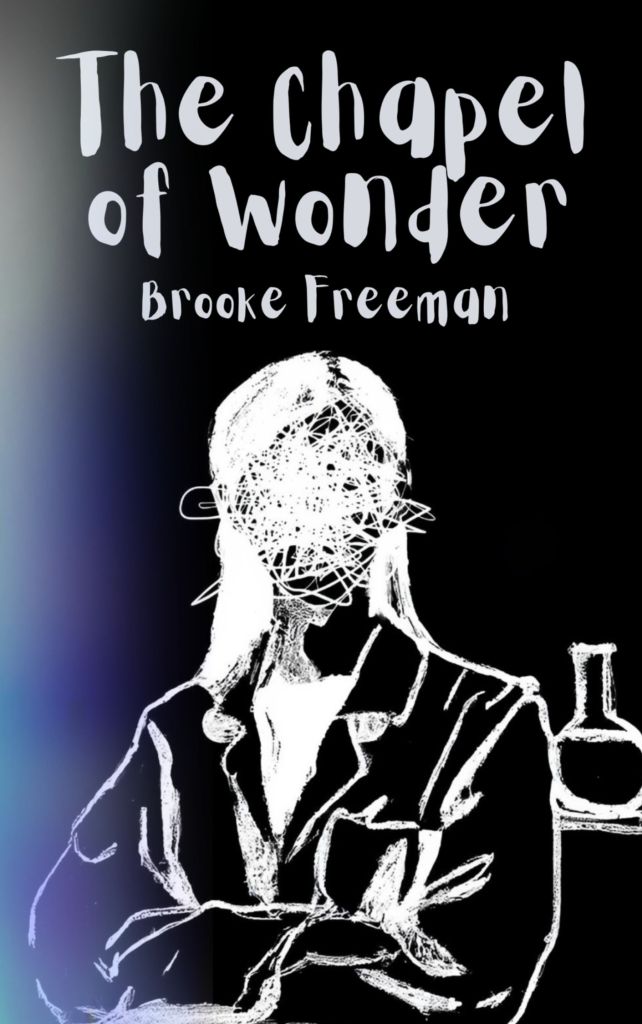
KDP does offer a cover design tool, which is fine if you’re going for something simple, but simple ended up looking like a high school PowerPoint. So, I migrated to Canva, where I could actually add flair, colors, and fonts that suited the vibe of a multimedia poetry book. Canva: 1, Kindle Cover Tool: 0.
(Psst. Cover design pictured below):
The End Result
Overall, the process was worth it—I loved bringing my poems and images together in one project. Sure, it was a little clunky, but hey, seeing my work all shiny and official was worth every “Oh, not again” moment. So, if you’re thinking about self-publishing, especially with multimedia, I say go for it! Just don’t forget Canva—and maybe take a few deep breaths (And a cup of coffee) before tackling the formatting.
All that being said, my tiny little science inspired multimedia poetry book has been sent out into the world! I can’t really complain to be honest. It was a fun little venture I must say. I also think it was the perfect introduction for me for the world of Kindle Direct Publishing. My book was small (what’s known as a chapbook) so while the formatting felt like it took awhile, I can’t imagine how much longer it would have taken if I published a full-scale poetry book.. which reminds me.
I’d love to do this again.
Probably with a full length poetry. But don’t worry! I probably won’t go the multimedia route (at least for now anyways). Personally, I would love to try my hand at some more traditional poetry but we’ll just have to see where the creative winds take me from here. Thanks for reading and if your morbid curiosity gets the best of you and you have a few bucks to burn, here’s a link to my little project.
Thanks for following along!